




218 - Wie kann ich dem Desktop-Client mehr Arbeitsspeicher (RAM) zuweisen?
For users with many files and a total data volume greater than (>) 100 GB, synchronization performance can be improved by increasing the memory allocation of the LRZ Sync+Share client.
In the following configuration files, the numerical value can be adjusted for the argument -XmxVALUEm. For improvement, we recommend increasing the maximum memory allocation to -Xmx4096m (4096 MB → 4 GB).
Windows
Admin permissions are required to change the configuration file:
C:\Program Files\Leibniz-Rechenzentrum\LRZ_Sync_Share\LRZ_Sync_Share.l4j.ini
-Xms32m
-Xmx4096m
-XX:NewRatio=8
-XX:MinHeapFreeRatio=5
-XX:MaxHeapFreeRatio=10
macOS
Finder → Applications → Right-click on LRZ Sync+Share and Show Package Contents.
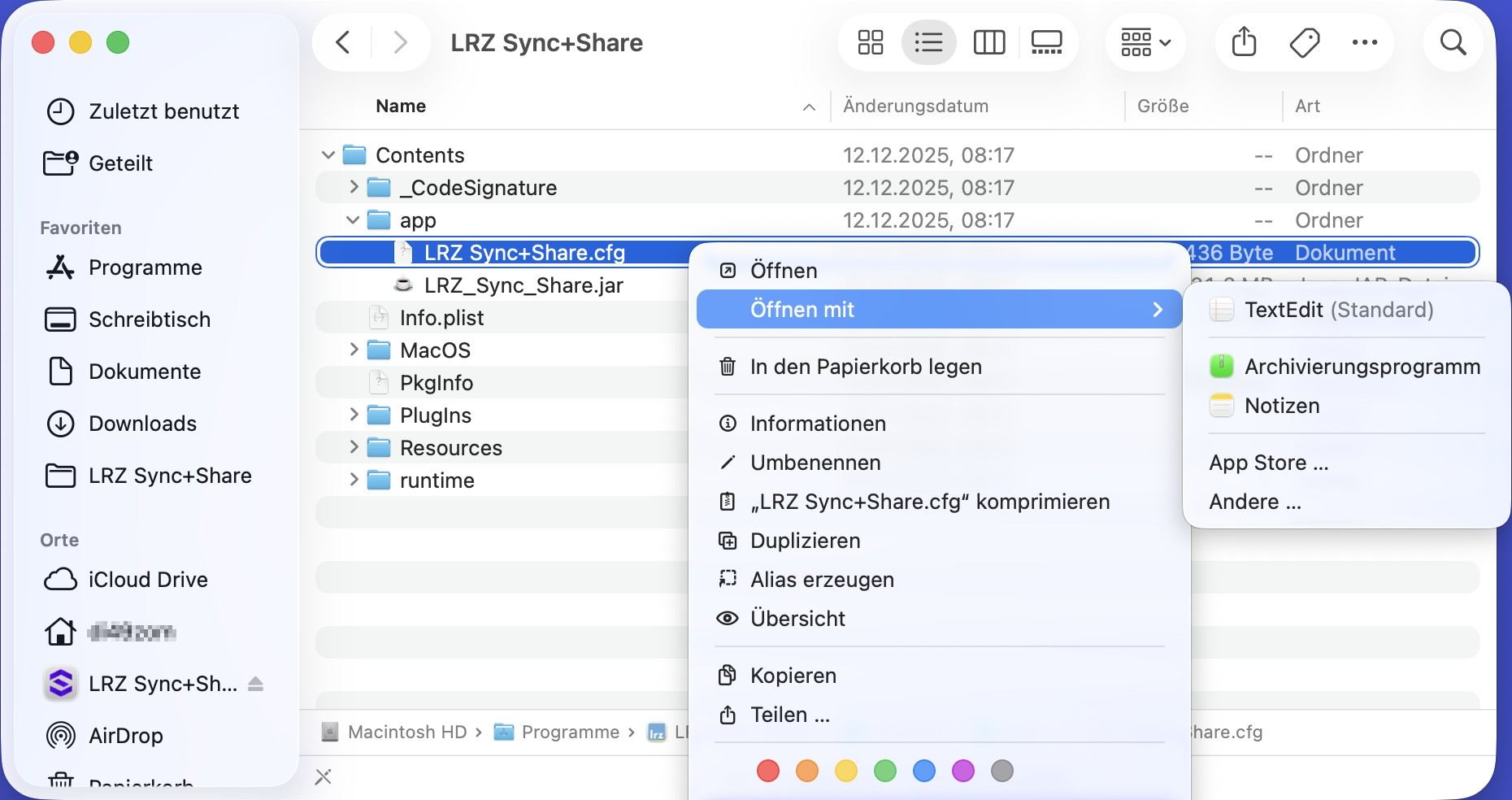
Administrator rights are required to edit the LRZ Sync+Share configuration file:
Increase the value for -XmxWERTg to -Xmx4g (4 GB).
Contents/app/LRZ Sync+Share.cfg
[Application]
app.name=LRZ Sync+Share
app.version=26.0.100
app.runtime=$ROOTDIR/runtime
app.identifier=de.dal33t.powerfolder
app.classpath=$ROOTDIR/app/LRZ_Sync_Share.jar
app.mainjar=$ROOTDIR/app/LRZ_Sync_Share.jar
app.mainclass=de.dal33t.powerfolder.PowerFolder

[JavaOptions]
-Xms16m
-Xmx4g
-XX:NewRatio=8
-XX:MinHeapFreeRatio=5
-XX:MaxHeapFreeRatio=10
-Xdock:name=LRZ_Sync_Share
-Djdk.lang.Process.launchMechanism=fork

[ArgOptions]
Linux
Admin permissions are required to change the configuration file:
/usr/share/LRZ_Sync_Share/LRZ_Sync_Share-Client.sh
JAVA_MEM="-Xms64m -Xmx4g -XX:NewRatio=8 -XX:MinHeapFreeRatio=10 -XX:MaxHeapFreeRatio=20"